GTA 6 Gellhorn Raceway: Rejected Cars, Ratings and Rentals
If Gellhorn Raceway rejects your car in GTA 6, compare My Vehicle with the selected race’s required rating and road/off-road icon. One Keep It PG Short Loop recording rejects a 434-rated car against a 500–780 road requirement. Choose an eligible car or a rental shown by that event, then check its start quote.
Why does Gellhorn Raceway say my car is rejected?
Read My Vehicle and Rating on the selected event card. In Paragleiber’s Short Loop menu at 0:30, Gellhorn Raceway - Keep It PG / Short Loop shows REJECTED 434 against 500–780 CAR with the road icon. That car’s road rating is below the displayed minimum of 500.
The event matters. The player then changes to Rallycross Loop. At 0:37, that card shows REJECTED 260 against 500–780 CAR with the off-road icon. These are two different selected events and rating fields.
Before spending:
- Note the selected event’s rating range and surface icon.
- Compare My Vehicle with that requirement.
- If you choose a rental, compare its matching rating and read the current Rent & Start Race quote before confirming.
The Speed, Acceleration and Handling fields are separate from the game’s road/off-road rating. The fastest-cars guide and speed-test tool help with performance evidence and measured average speed. Neither calculates this event’s eligibility rating.
Which rental rating and quote should I compare?
After selecting Rallycross Loop, Paragleiber opens the rental chooser. Its Emperor Sultan selection shows Rent & Start Race ($625), while the Dinka Sugoi selection shows Rent & Start Race ($675). For the recorded off-road requirement, compare the off-road figures: 628 and 667. Keep their road figures separate.
| Rental in the recorded selection | Off-road and road ratings |
|---|---|
| Emperor Sultan, 0:45 | 628 off-road / 609 road. |
| Dinka Sugoi, 0:55 | 667 off-road / 654 road. |
Those two quotes belong to the rental choices following the Rallycross Loop selection, not the earlier Short Loop rejection. Use the selected event card’s surface icon when comparing the two rating values.
In an independent recording, Necksbocks’ opening chooser at 0:08 shows another Rent & Start Race ($500) offer and an own-vehicle tutorial requiring 500–780 with a road icon. That is another observed selection, not a universal Gellhorn price or rating rule.
Read the full start quote for your current car. The inspected cards do not separate an entry component from a rental component. Changing the selection can change the quoted amount.
Where do I find the Introduction and race menu?
Look for Gellhorn Raceway - Introduction at Gellhorn Motorsports Park. Compare PowerPyx’s selected wide map and close map. The Port Gellhorn guide provides the surrounding area.
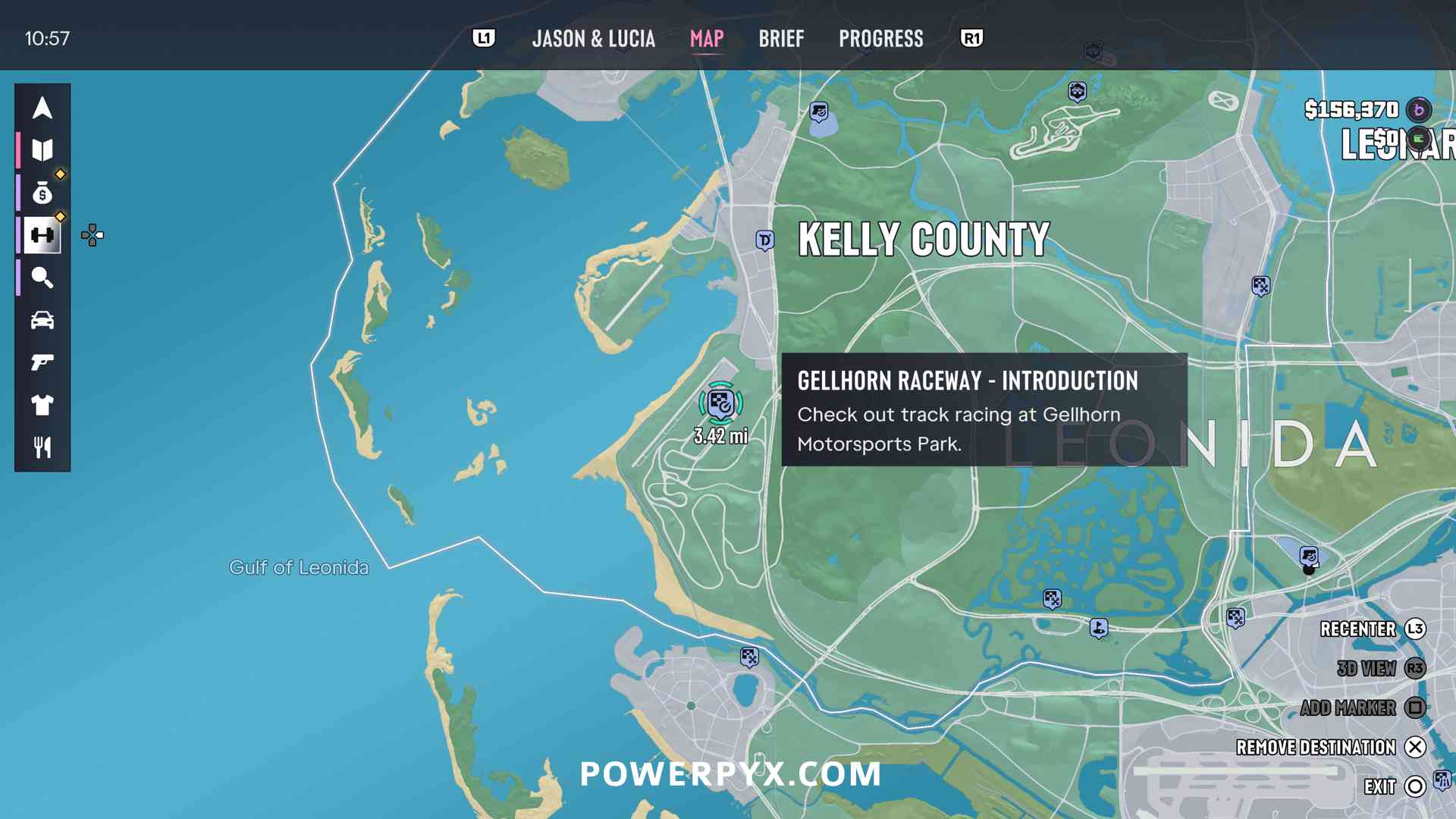
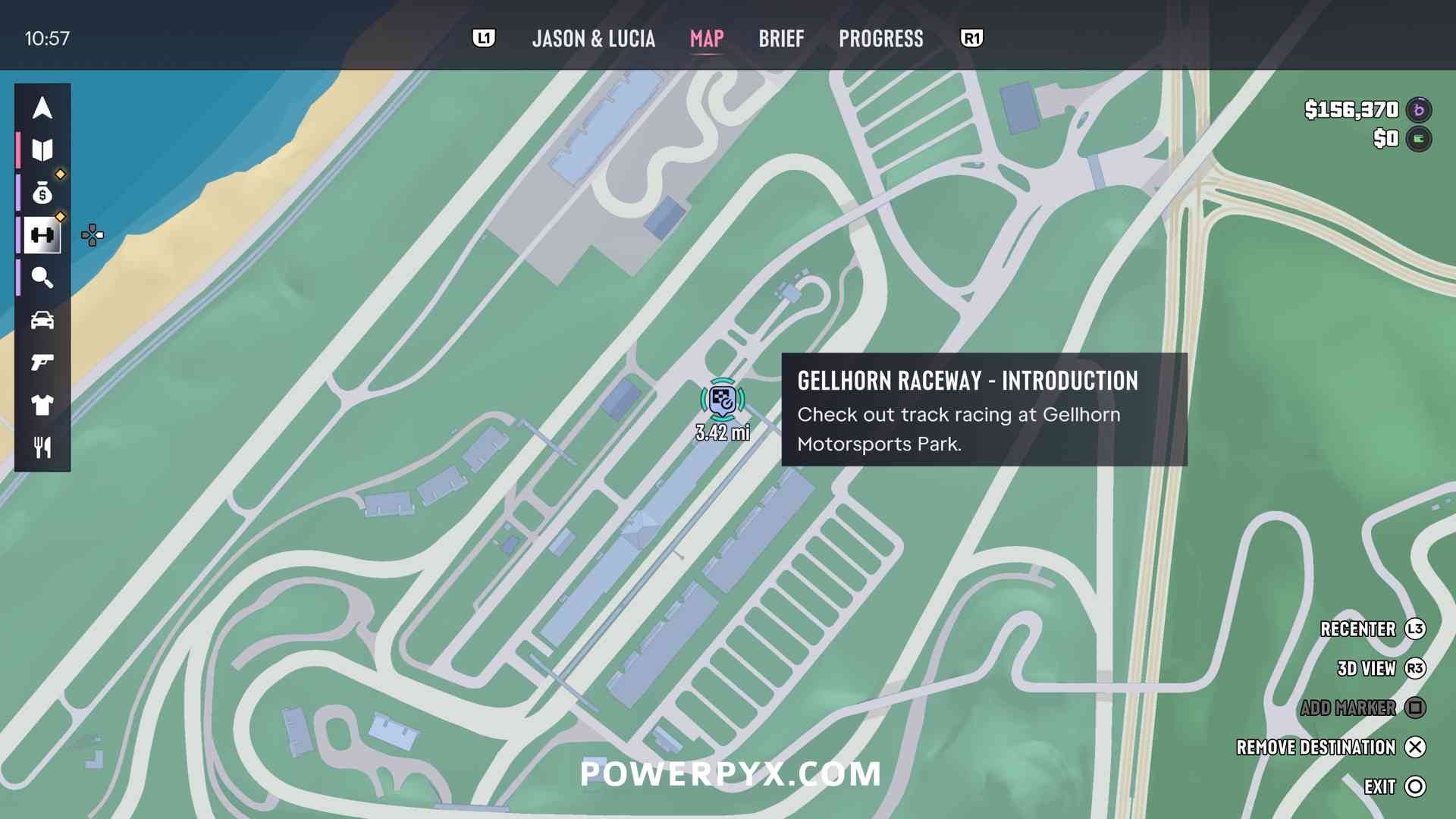
Follow the Introduction’s current objectives. Beklzzz’s original visit shows Go to the start line at 13:41, then Return to the pit lane at 14:40. The 15:50 paddock scene shows the organizer at the tents.
PowerPyx’s racing directory gives Map → Activities → Racing for found locations and Progress → Activities → Racing for reviewing progress. At the organizer, choose an event currently offered in your save. Check that card rather than assuming every later event is already available.
How should I record the cost and result?
Max Payout on an event card is not a payment receipt or net profit. After racing, check the actual result and spending. The money-making guide explains how to compare cash received with costs.
The vehicle collection records discoveries, ownership and wanted cars. Selecting a rental does not establish personal ownership. For overall completion, reopen the existing different-races-won goal and enter the total confirmed by your game. Repeating a win is different from winning another unique race.
Last checked 23 November 2026 against the original Introduction maps, first-visit objectives and native event/rental menus. The figures above describe those selected events and offers, not every race or a tested best-car strategy.
Related guides
- GTA 6 Brooks Boatworks Safe Code: 6823 and the Warehouse RoomUse 6823 for GTA 6’s Brooks Boatworks safe. Match the warehouse room with the pool table, find the separate wall clue and check your location’s remaining valuables.
- GTA 6 La Cascara Motel Safe Code: 6969 and the Lieutenant RoomFind GTA 6’s La Cascara Motel safe and enter 6969. Match the Lieutenant Room Safe label, red toolbox and yellow wall with two original gameplay openings.
- GTA 6 Arthur Morgan Hat: Genuine Cowboy Hat LocationFind GTA 6’s Arthur Morgan hat at the Port Gellhorn yard sale. Match Genuine Cowboy Hat in Brown Leather, check the price and choose Buy & Wear.
- GTA 6 Avery Pawn Safe Code: Find Your CombinationFind Avery Pawn’s safe code in GTA 6 using Safe Code? and the keypad’s Notes. Match the office, enter your run’s combination and check the opened safe.