GTA 6 Headphones: Where to Buy and How to Listen on Foot
To get headphones or earbuds in GTA 6, visit an electronics shop, choose a pair and use Buy & Wear when offered. Zekes Gadgets, Cell Phone Zone and Game Horde are documented options. With your headgear equipped, hold Left on the D-pad to open Radio or On Demand while on foot.
Where can I buy headphones or earbuds?
Open the game’s map and choose Style → Electronics. Look for a headphones icon, select the shop and read its name before setting a destination. PowerPyx’s photographed electronics list and GamesRadar’s equipment guide describe this filter.
These three shops have matching named gameplay evidence from more than one publisher:
| Shop | Where to look | Selected source map |
|---|---|---|
| Zekes Gadgets | Hamlet, northeast of Boone Speedway | Open Zekes Gadgets map |
| Cell Phone Zone | Vice City | Open Cell Phone Zone map |
| Game Horde | HowToVideoGame found it in Port Gellhorn. PowerPyx lists it under Kelly County. | Open Game Horde map |
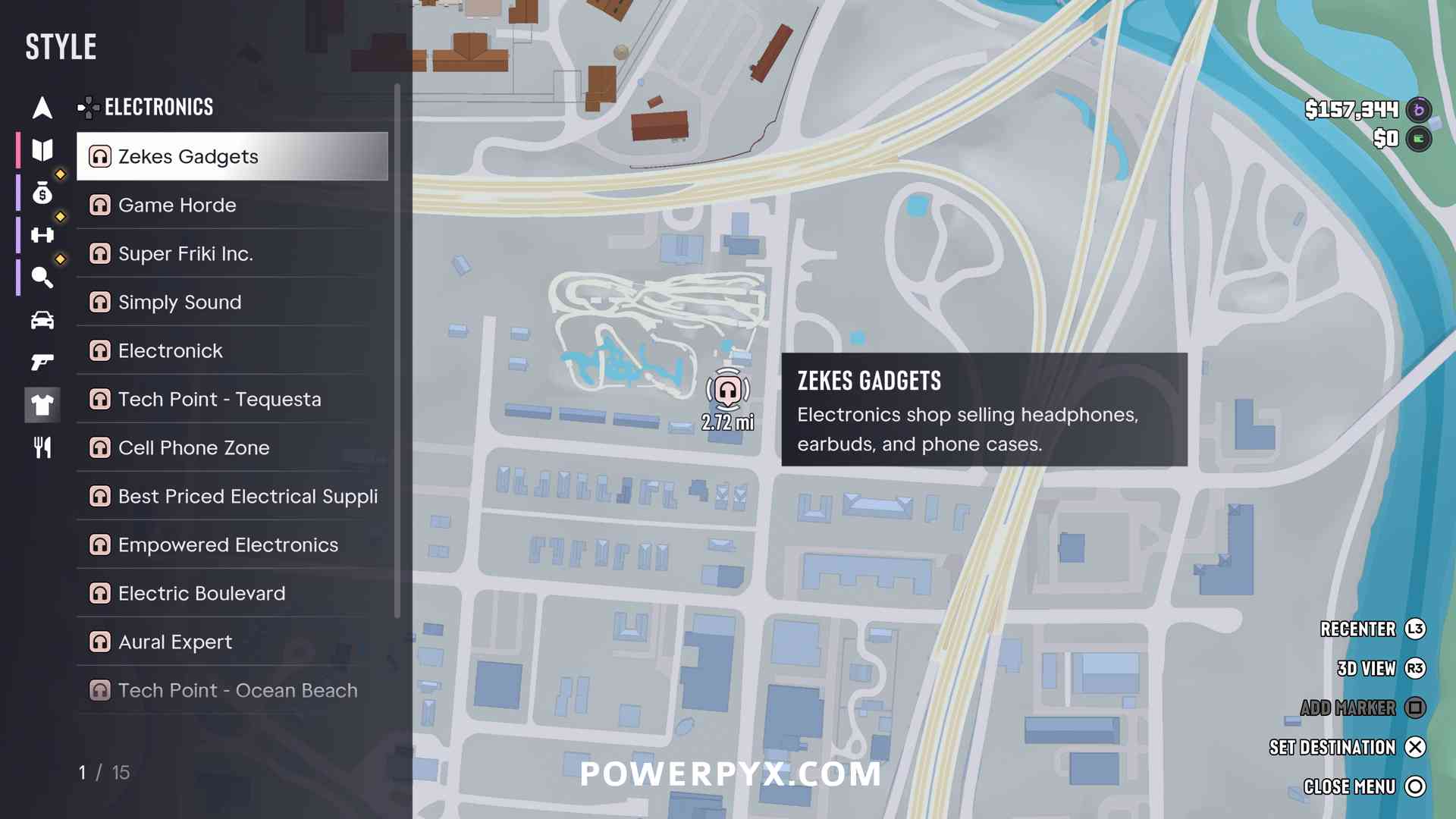
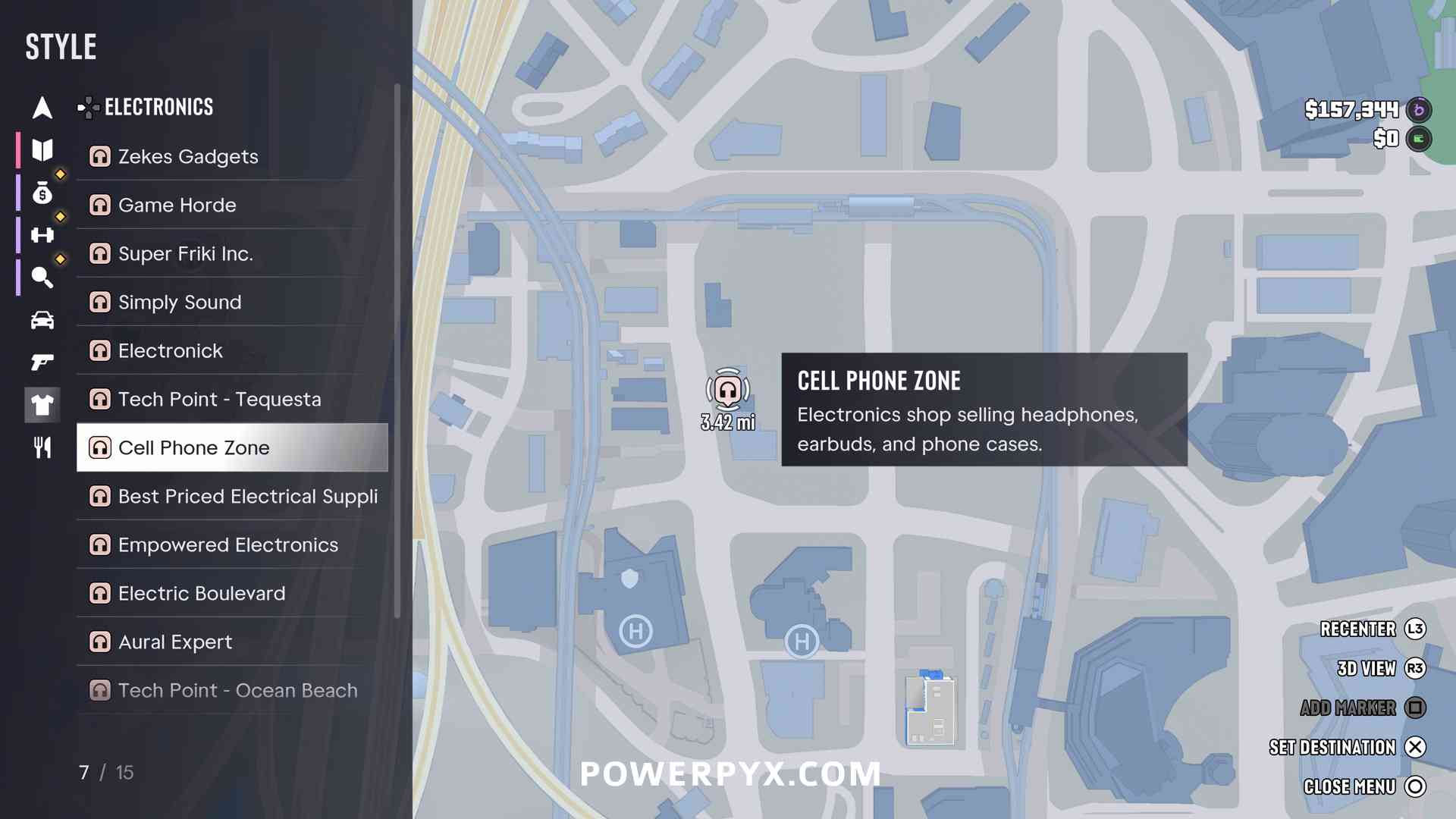
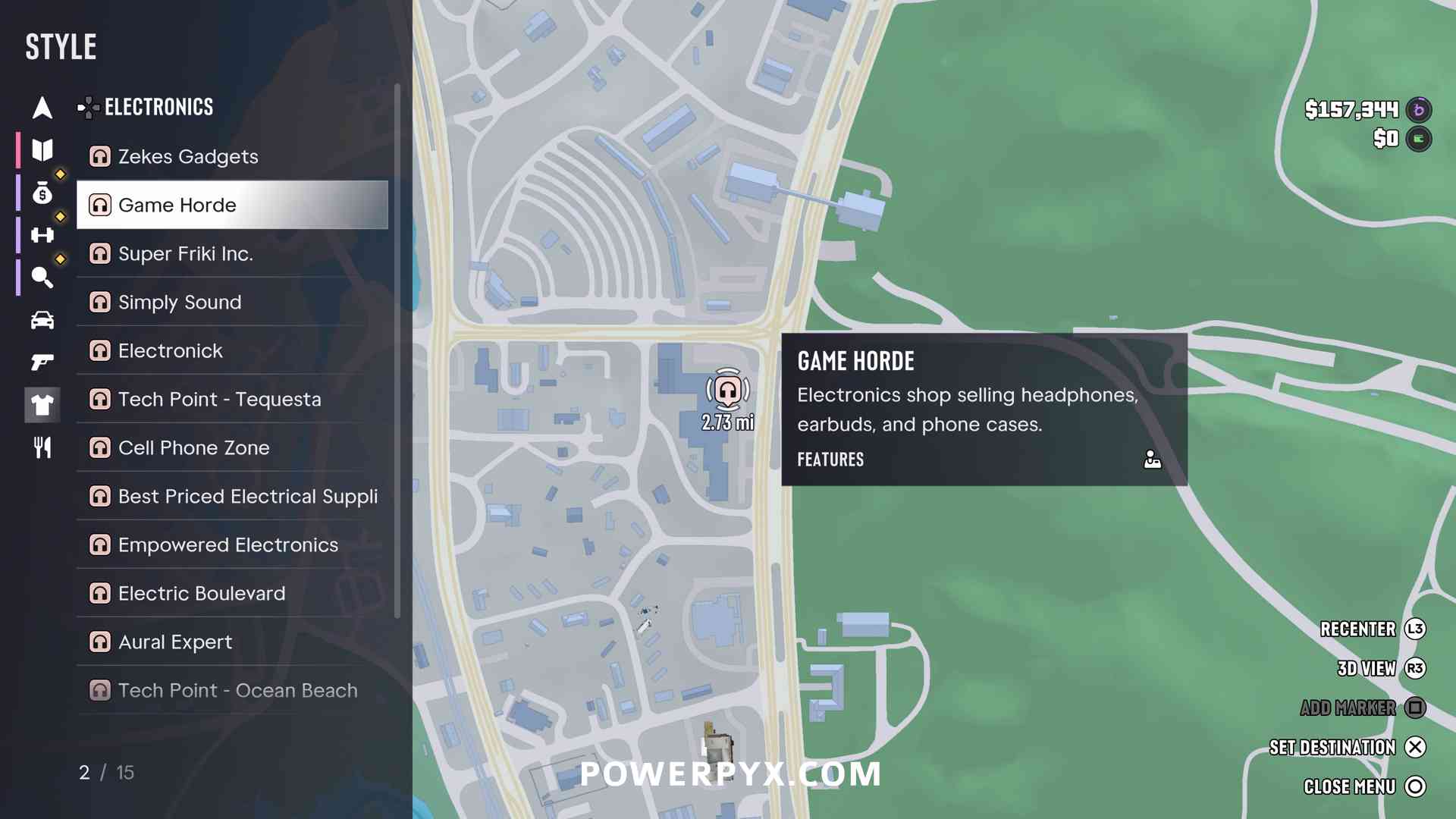
Shacknews independently locates Zekes in Hamlet. HowToVideoGame’s own PS5 account shows selected maps for Zekes and Cell Phone Zone, plus Game Horde’s named shop menus. PowerPyx supplies separate selected maps for all three. For wider town context, see our Port Gellhorn guide.
Choose the most convenient of the three documented shops for your current trip.
How do I buy a pair and put it on?
The following button examples use HowToVideoGame’s PS5 menus. Follow your current prompts on Xbox or with a different control layout.
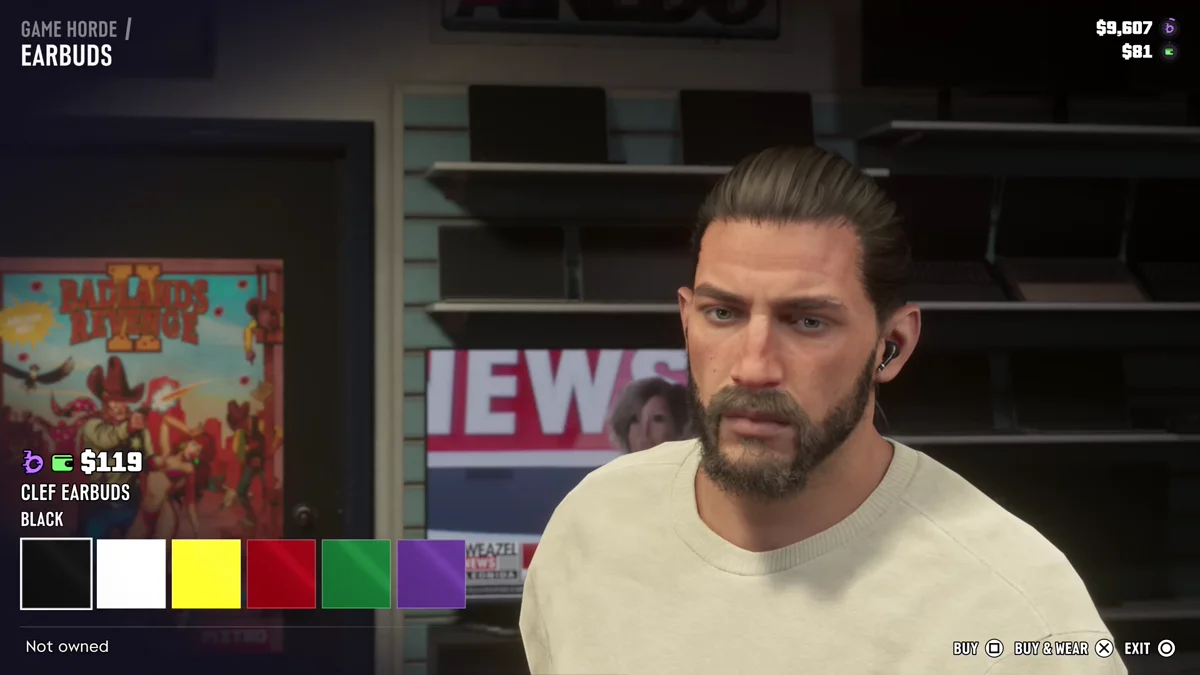
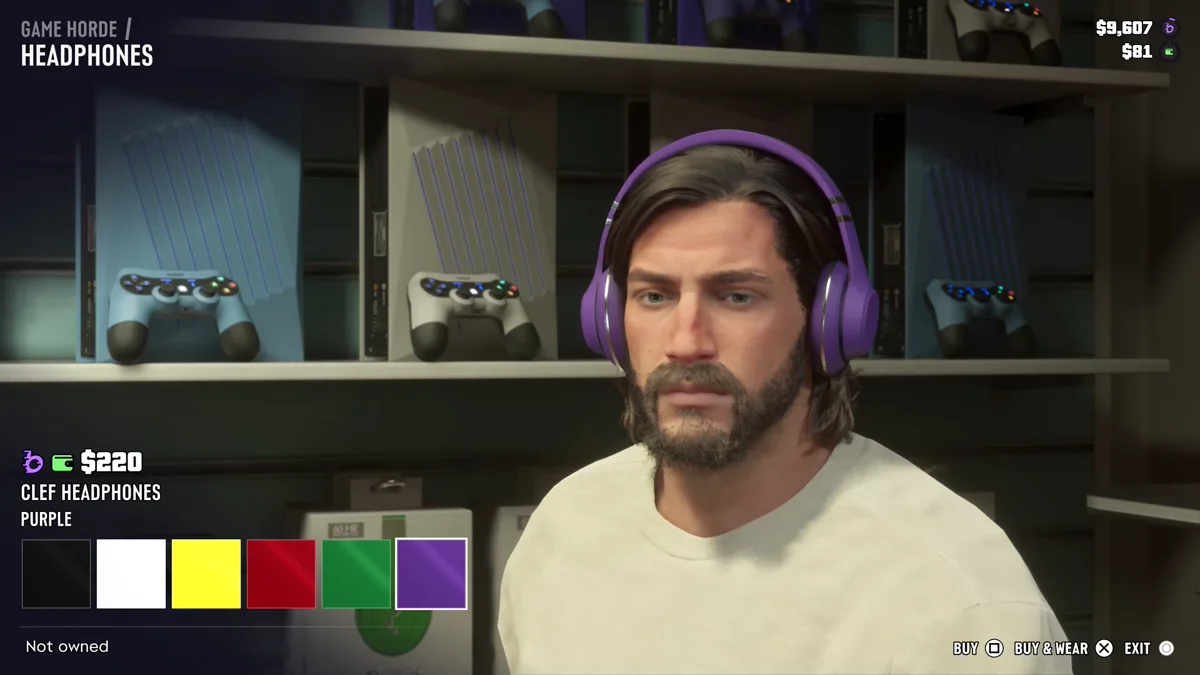
- At Game Horde, find the Earbuds counter or Headphones shelf. The author describes Triangle opening the selected display.
- Read the full item name and current offer. The inspected menus distinguish Clef Earbuds from Clef Headphones.
- Choose a colour, then use Buy & Wear on Cross to purchase and wear the selection, or Buy on Square to purchase without immediately wearing it. Circle is Exit.
- Check your Headgear slot afterward to confirm the equipped item.
Compare the original Earbuds menu and Headphones menu. Both show Not owned in the captured save. Check the offer and ownership status in your own menu before buying.
How do I equip headphones I already have?
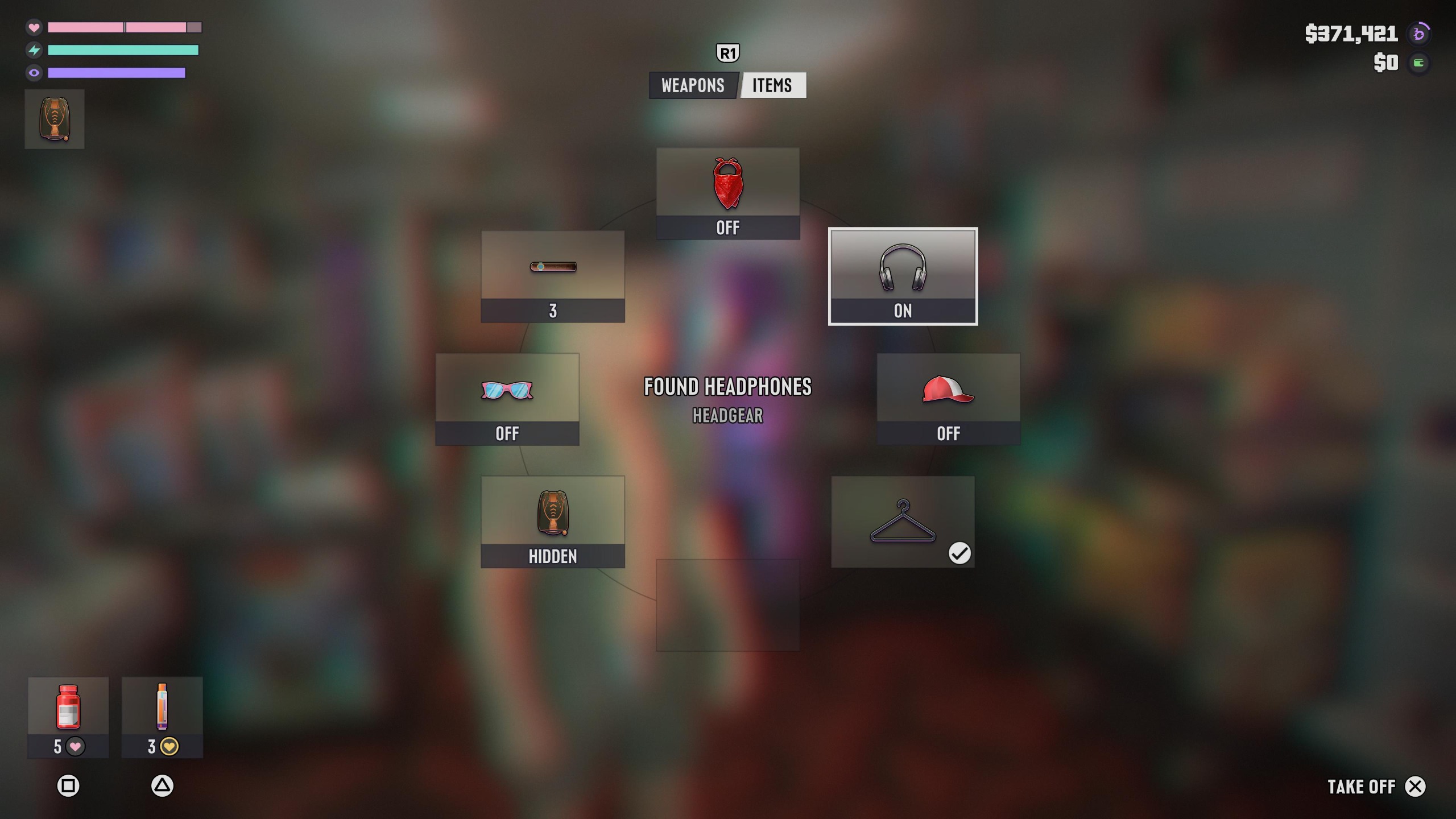
Open your loadout, switch to Items, then select the Headgear slot. GamesRadar reports holding L1, then using R1 on PS5. HowToVideoGame independently describes the same Items-tab route.
In GamesRadar’s published Items-wheel capture, Found Headphones is selected and marked On, with Cross labelled Take Off. Use the label and action in the active character’s Headgear slot to check what they’re wearing.
How do I play radio stations and podcasts on foot?
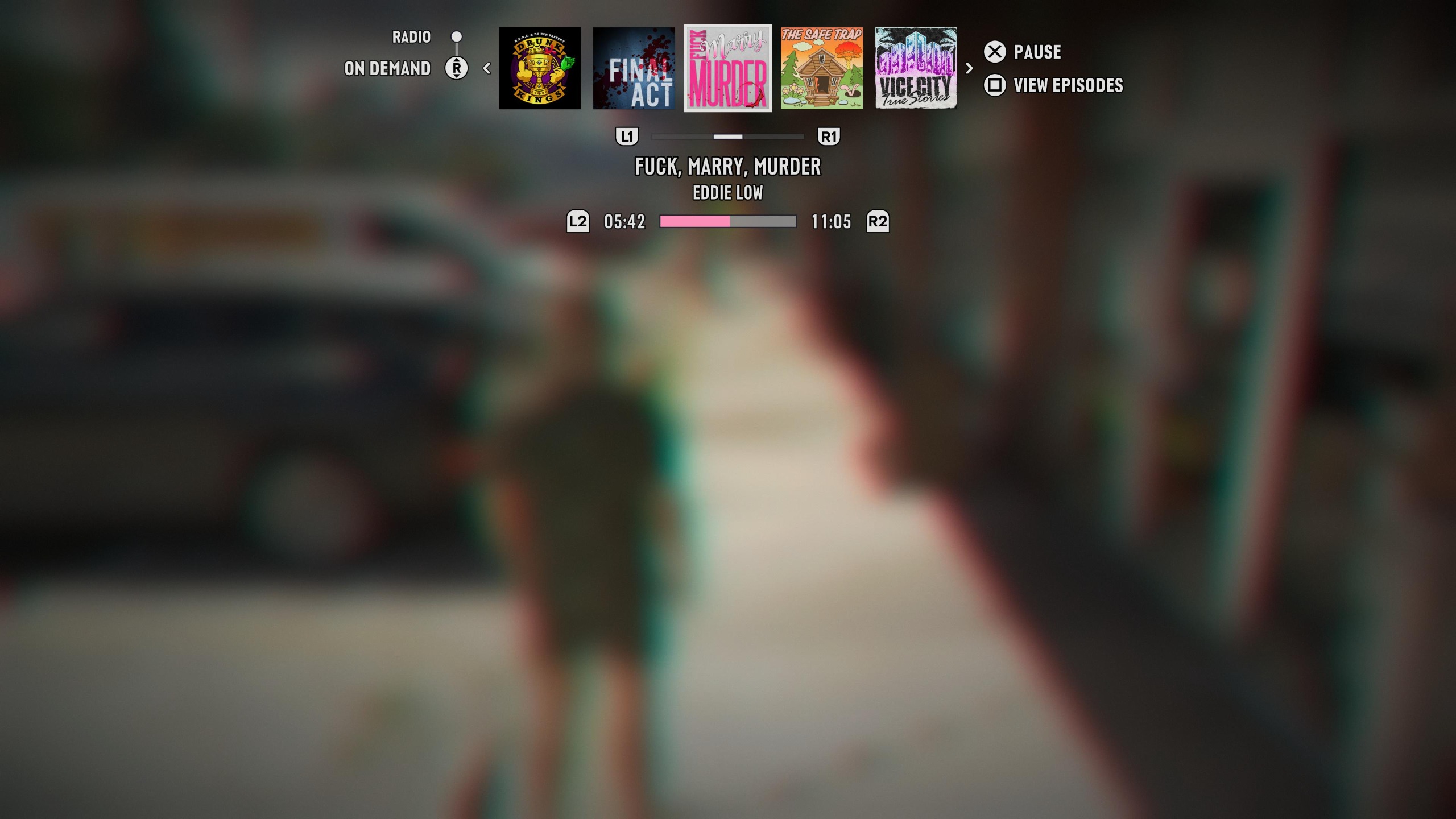
Rockstar describes radio and on-demand podcasts on foot using headphones or earbuds connected to the characters’ smartphones. With your pair equipped, hold Left on the D-pad to open the audio menu. Select Radio for stations. For podcasts, move the right stick down to On Demand and choose a programme or episode. GamesRadar and HowToVideoGame both describe this route.
The published on-foot podcast screen shows elapsed episode time, Pause on Cross and View Episodes on Square. Follow the labels in your current menu to change or pause an episode.
For station choices, open our GTA 6 radio guide. The secret radio and playlist checklist covers the five poster scans. After unlocking a playlist, choose Radio → The Vault or On Demand → The Sniper of La Perle.
Last checked 23 November 2026 using the linked shop, purchase-preview, equipped-item and playback screens.
Related guides
- GTA 6 Radio Stations List: Hosts, Genres and Preview SongsGTA 6 radio hosts, genres and Rockstar's preview songs, plus how five posters unlock two Unique Playlists and where to keep your scan checklist.
- GTA 6 The Final Flush: No Flushers Poster and Console HelpStart The Final Flush in GTA 6, reply TRUTH and find Frank’s Waffles. Compare poster examples and open separate hints for the three-light console and stamina notice.
- GTA 6 Brooks Boatworks Safe Code: 6823 and the Warehouse RoomUse 6823 for GTA 6’s Brooks Boatworks safe. Match the warehouse room with the pool table, find the separate wall clue and check your location’s remaining valuables.
- GTA 6 La Cascara Motel Safe Code: 6969 and the Lieutenant RoomFind GTA 6’s La Cascara Motel safe and enter 6969. Match the Lieutenant Room Safe label, red toolbox and yellow wall with two original gameplay openings.