GTA 6 Fishing: Controls and Cal’s First Challenge
To fish in GTA 6, equip a rod, cast, hook a bite and follow the current struggle or reeling prompt. For Cal’s first request, catch a stoplight parrotfish heavier than 2 lb in his marked area, then use Take Photo for Cal on the catch screen.
How do I start fishing?
Find the Fishing Rod interaction at Jason’s dock, or select an available rod from your equipment. HowToVideoGame’s own PS5 account describes the dock prompt. Shacknews explains selecting Equipment through the weapon wheel, then choosing the rod. Follow the interaction shown in your game.
For Cal’s request, use his current marked water region. A request area is not a guaranteed fish spawn or a new exact pin on our map. The Leonida Keys guide provides regional context.
Which control matches my current fishing phase?
The table describes the PS5 layout reported and captured by the sources. Read your own prompts if your control settings differ.
| Fishing phase | PS5 input or next check |
|---|---|
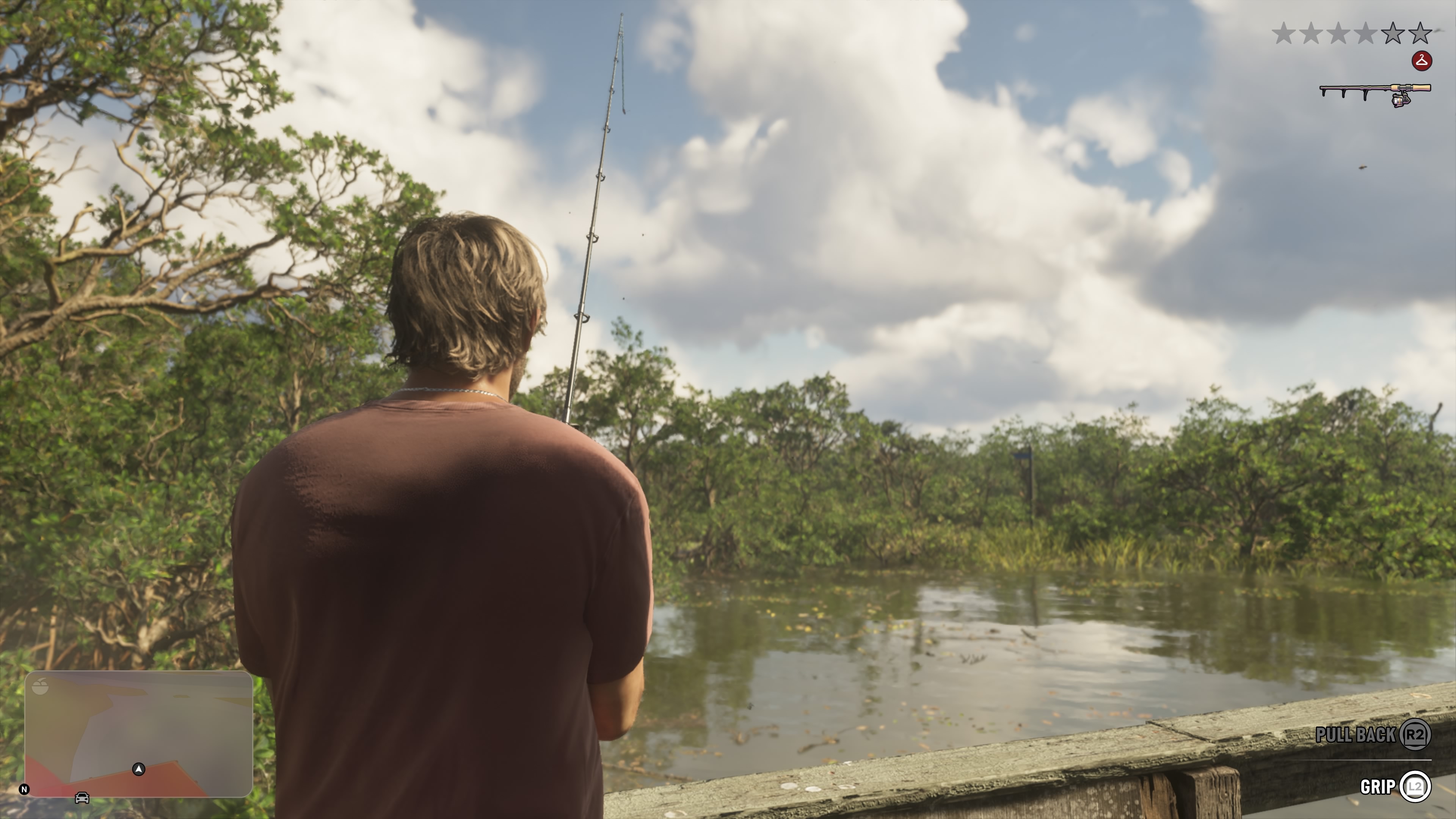
| Rod ready, before casting | Hold L2 to grip. Hold R2 to pull back, then release R2 to cast. |
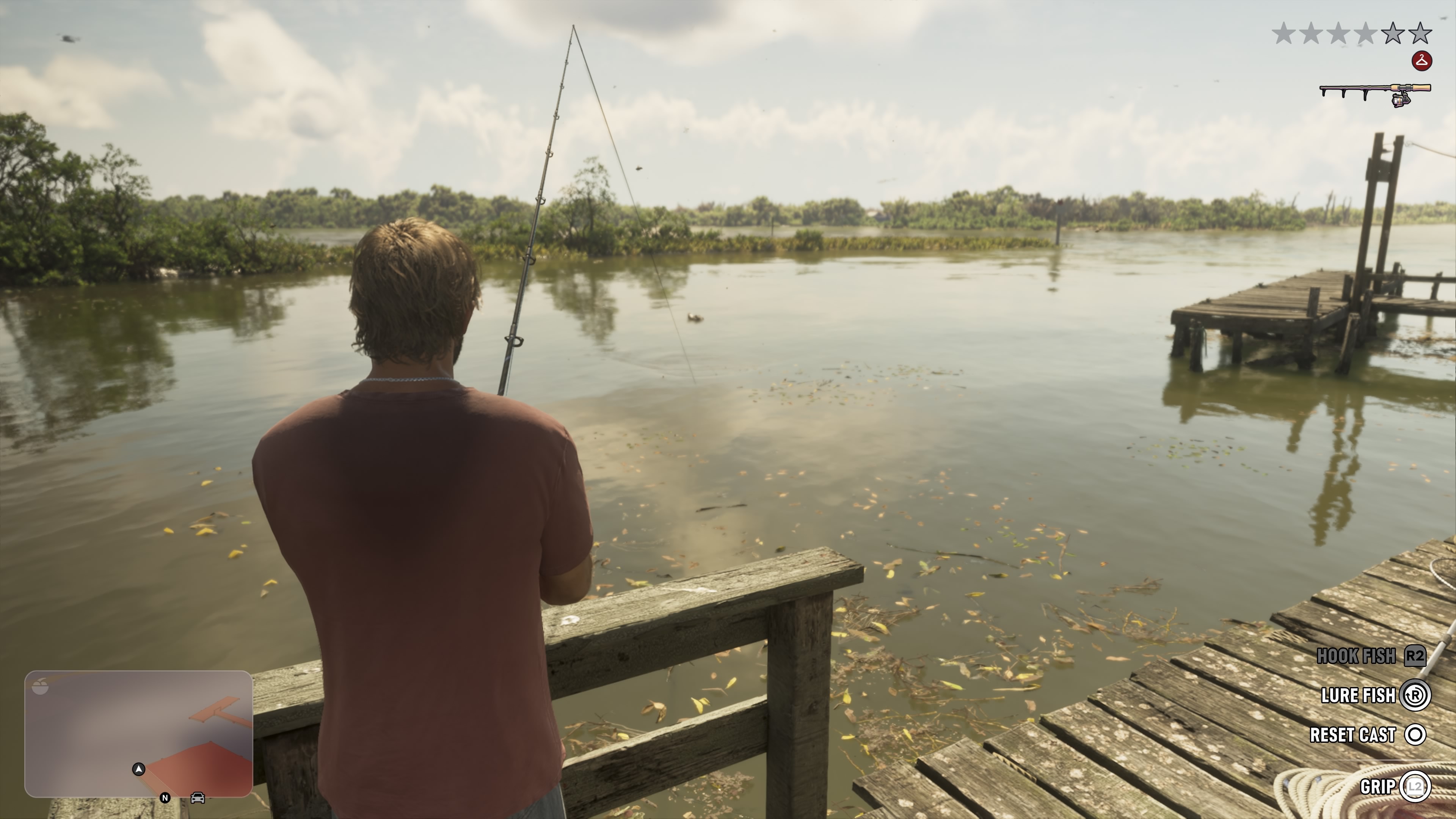
| Line in the water | Slowly rotate the right stick to lure a fish. |
| A fish bites | Press R2 to hook it. |
| The hooked fish struggles | Use the left stick to control the fish. |
| The fish tires | Quickly rotate the right stick to reel it in. Follow the changing hint as the phases alternate. |
| Reset the cast | Use Circle when Reset Cast is offered. |
| Named catch and weight card | Read its available action. Cal’s photo request and a story catch’s Keep action are different tasks. |
HowToVideoGame describes the alternating struggle and reeling phases. Shacknews independently distinguishes controlling the fish from reeling during its rest. GTAPlaybook’s own pre-cast capture and line-in-water capture show why Pull Back and Hook Fish can both use R2 at different stages.
How do I beat Cal’s first challenge?
- Open Cal’s message and follow the active Catch a Bigger Fish location. The inspected first request asks for a stoplight parrotfish larger than 2 lb. Exactly 2 lb does not exceed that target.
- Fish in the marked region and check the species and weight on the catch card. Keep your own current request as the authority if Cal is asking for a different fish.
- On a qualifying catch, choose Take Photo for Cal. Gacha Chief’s inspected PS5 recording shows the Cross icon beside that exact action. No hold duration is established here.
- Check Cal’s message thread for the sent photo. The same recording shows the catch screen later offering Throw Back, followed by the photo in Cal’s thread.
PowerPyx’s walkthrough independently confirms the species, weight and submission action. Compare Gacha Chief’s original selected request at 1:30, qualifying 2 lb 9 oz catch and photo prompt at 3:02, and sent photo at 3:22. Throwing a fish back is not the photo-submission step.
PowerPyx says the Small Saltwater Lure works for this request. Check that option before buying a medium lure. This optional task is separate from the opening Gone Fishing mission and the later Recalibration fishing trip. For Cal’s house visit, use Feng Shui help.
Why is Medium Freshwater locked when Medium Saltwater is available?
They are separate lure items. In two different players’ recordings, Medium Saltwater Lure is selectable while Medium Freshwater Lure has a padlock. Ruba’s recording also shows the saltwater purchase confirmation. See Ruba’s menu around 0:21 and Games & Apps Tutorials’ opening menu.
Those saves do not establish what unlocks the freshwater item, a universal shop price or a story prerequisite. Match the complete lure name and inspect your current stock. Shacknews also reports early availability of the medium saltwater item.
For an equipment stop, open Chuck’s Tackle & Shot in the existing finder. The directory links the store’s gameplay maps. Checking its stock is optional, not a proven extra step in Cal’s challenge.
Does the catch count for Baited My Tackle?
PowerPyx and HowToVideoGame report Baited My Tackle for beating Cal in a fishing challenge. The inspected clip proves the photo flow, not a trophy notification. Confirm the award in your own game before marking it in the trophy checklist.
Use the trophies and achievements guide for award context. If fishing is your next completion task, record the result your game confirms in the completion planner.
Last checked 22 November 2026 against the original guides and inspected gameplay captures. We have not tested fishing on a console. A universal freshwater-lure unlock and fishing cash payouts remain unverified here.
Related guides
- GTA 6 Strange Noises: Parrot Stash and Key ValuablesFind GTA 6’s Strange Noises at Three Sheets Liquor. Follow the parrot’s generator clue, check the back room and read the key-valuables map status.
- GTA 6 Shirley’s Rum: Collect the Bottle and ReturnGet Shirley’s rum in GTA 6: find Three Sheets Liquor, ask the clerk, collect the bottle from the counter and return to Shirley in Key Lento.
- GTA 6 Basketball: Score Your First Hoop at Jason’s HouseFind Jason’s house hoop on Peach Palm Dr, follow the checked PS5 prompts and confirm scored credit. Separate Basketball Rookie from the 90-hoop goal.
- GTA 6 Workout Window: When to Train and RecoverCheck GTA 6 workout window and recovery messages, find Jason’s home equipment, and separate workout completion from Gym Member and Balanced Workout credit.